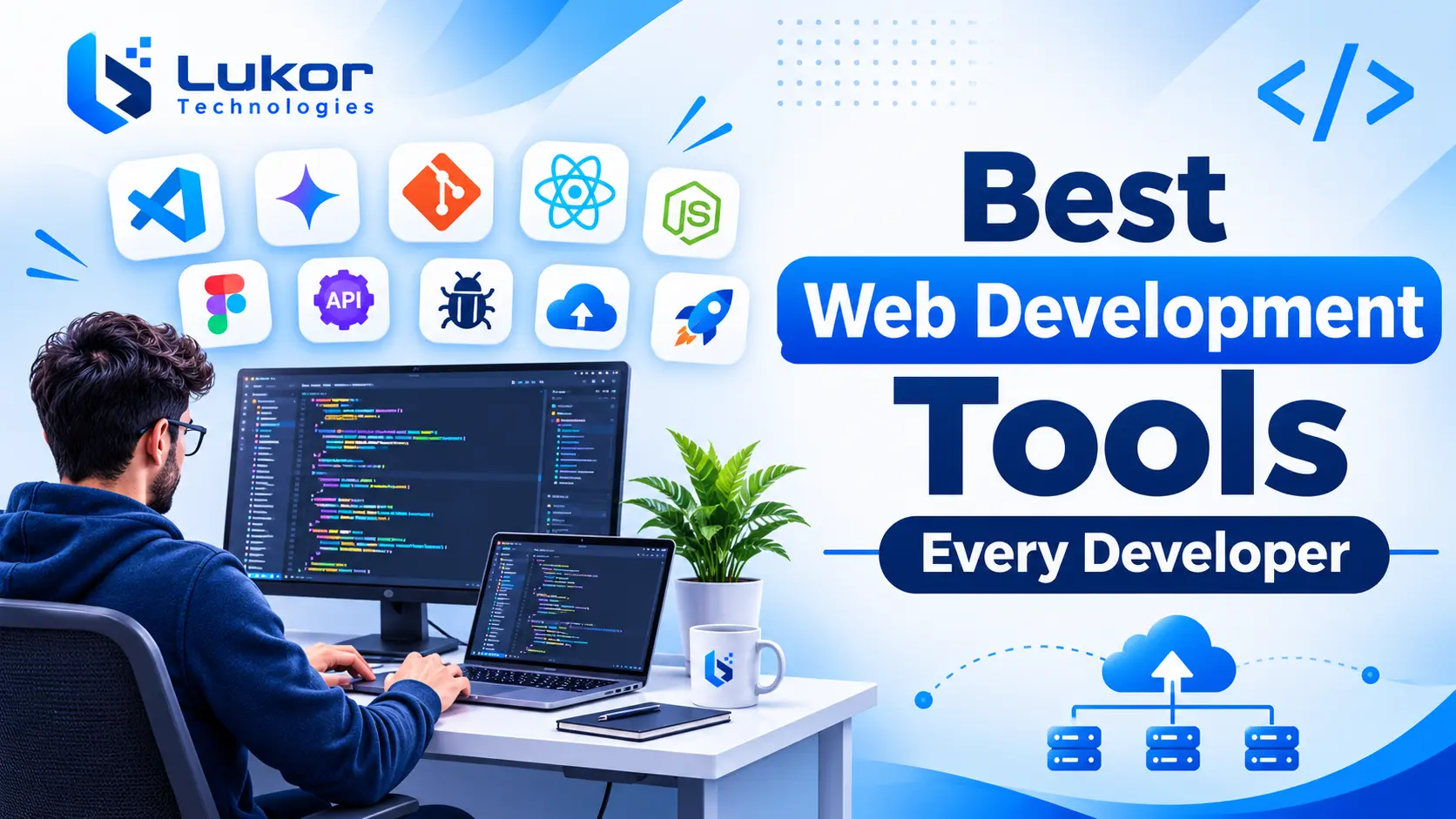
Building a modern website requires more than programming knowledge. Developers need the right tools to write code, design interfaces, manage projects, test functionality, fix errors, and deploy websites efficiently. Understanding what web development is can also help developers and businesses identify the technologies and tools needed throughout the website development process. Choosing the right web development tools can simplify these tasks, improve productivity, and help development teams build reliable digital experiences.
The demand for web development skills is also expected to grow in the coming years. According to the U.S. Bureau of Labor Statistics, employment of web developers and digital designers is projected to grow 5% between 2025 and 2035, highlighting the continued importance of web technologies and development expertise.
From code editors and frontend frameworks to AI coding assistants, API testing platforms, and deployment services, each tool supports a different part of the web development process. Some tools help beginners learn programming, while others support professional developers building complex applications and enterprise platforms.
In this guide, we explore the 20 best web development tools to know in 2027, including their key features, practical applications, advantages, and pricing categories. Whether you are learning web development, working on a client project, or managing an experienced development team, this list will help you choose tools that match your technical requirements.
What Are Web Development Tools?
Web development tools are software applications, frameworks, libraries, and platforms that help developers build, design, test, debug, manage, and deploy websites and web applications.
These tools support different stages of development, from writing HTML, CSS, and JavaScript to creating interactive interfaces, connecting databases, testing APIs, and monitoring website performance.
Common categories of web development tools include:
- Code editors and IDEs: Help developers write, organize, and manage source code.
- AI coding assistants: Support code generation, debugging, explanations, and development workflows.
- Frontend frameworks and libraries: Simplify the creation of interactive website interfaces.
- Backend frameworks and runtimes: Support server-side programming, application logic, and data processing.
- Version control tools: Help developers track code changes and collaborate.
- Testing and debugging tools: Identify errors and improve website functionality.
- Design and prototyping tools: Help designers and developers plan website layouts and user experiences.
- Deployment platforms: Make websites and applications accessible online.
Using the right combination of these tools can make website development more organized, efficient, and scalable.
20 Best Web Development Tools to Use in 2027
Here are 20 useful web development tools that support different development requirements, from writing code and designing interfaces to testing and deploying websites.
1. Visual Studio Code – Best Overall Code Editor
Visual Studio Code (VS Code) is a popular source code editor developed by Microsoft. It supports multiple programming languages and provides a flexible environment for frontend and backend development.
Its lightweight interface, extension marketplace, integrated terminal, and development features make it suitable for beginners and experienced developers.
Key Features:
- Intelligent code completion and syntax highlighting.
- Integrated terminal and Git support.
- Extensions for programming languages and frameworks.
- Built-in debugging capabilities.
- Customizable themes, shortcuts, and development environments.
- Support for AI-assisted coding workflows.
Best For: Developers working with HTML, CSS, JavaScript, React, Node.js, Python, and other web technologies.
Pricing: Free and open source.
Why Choose It? VS Code provides a flexible coding environment where developers can work with multiple technologies, customize their setup, and integrate additional development tools.
2. WebStorm – Best IDE for Professional JavaScript Development
WebStorm is a JavaScript and TypeScript integrated development environment (IDE) developed by JetBrains. It provides advanced coding assistance and development features for building complex web applications.
Unlike a basic code editor, WebStorm includes integrated tools that help developers navigate code, identify errors, refactor projects, and manage development tasks.
Key Features:
- Smart code completion and navigation.
- Built-in debugging and testing support.
- JavaScript and TypeScript assistance.
- Git integration and code refactoring.
- Support for popular frontend frameworks.
- Integrated development and AI-assisted features.
Best For: Professional JavaScript and TypeScript developers working on complex web applications.
Pricing: Paid subscription, with licensing options that may vary by user type.
Why Choose It? WebStorm offers advanced development features that help developers manage large JavaScript projects and maintain organized codebases.
3. Cursor – Best AI-Powered Code Editor
Cursor is an AI-powered code editor designed to help developers understand, write, modify, and maintain software more efficiently.
It uses AI to understand project context and assist with coding tasks, including generating features, explaining existing code, identifying bugs, and making changes across multiple files.
Key Features:
- AI-assisted code generation and editing.
- Codebase understanding and contextual assistance.
- Agent-based development workflows.
- Support for multi-file code changes.
- Bug investigation and code improvement.
- Integration with development tools and workflows.
Best For: Developers who want AI assistance for coding, debugging, and managing larger codebases.
Pricing: Free entry-level option and paid subscription plans.
Why Choose It? Cursor can reduce repetitive coding work and help developers explore unfamiliar codebases. However, AI-generated changes should always be reviewed and tested before implementation.
4. GitHub Copilot – Best AI Coding Assistant
GitHub Copilot is an AI-powered coding assistant that helps developers write, understand, and improve code. It integrates with supported development environments and GitHub workflows.
It can suggest code while developers type, explain existing code, generate functions, assist with debugging, and support more advanced agent-based development tasks.
Key Features:
- AI-powered code completion.
- Natural-language coding assistance.
- Code explanations and debugging support.
- AI-assisted editing and code generation.
- Integration with supported IDEs.
- Support for GitHub-based development workflows.
Best For: Developers and teams looking to introduce AI assistance into their existing coding workflows.
Pricing: Free plan available, with paid individual and business plans.
Why Choose It? GitHub Copilot helps developers reduce repetitive coding tasks and work more efficiently without necessarily changing their existing development environment.
Cursor vs. GitHub Copilot: Cursor is an AI-focused code editor, while GitHub Copilot integrates AI assistance into supported editors and GitHub workflows. The better choice depends on whether developers prefer an AI-first editing environment or assistance within their existing tools.
5. React – Popular Frontend Development Library
React is an open-source JavaScript library developed by Meta for building user interfaces. It allows developers to create reusable components and manage complex interface structures efficiently.
React is commonly used for single-page applications, dashboards, e-commerce websites, and interactive web platforms.
Key Features:
- Reusable component-based architecture.
- Declarative user interface development.
- Efficient interface updates.
- Large ecosystem of libraries and developer tools.
- Support for modern JavaScript development.
Best For: Building interactive and component-driven web applications.
Pricing: Free and open source.
Why Choose It? React helps developers organize user interfaces into reusable components, making applications easier to maintain and extend.
6. Angular – Best Framework for Enterprise Web Applications
Angular is a TypeScript-based web application framework maintained by Google. It provides an extensive development environment for building structured and feature-rich applications.
It includes capabilities for routing, forms, dependency injection, and application development.
Key Features:
- Component-based architecture.
- Built-in routing and navigation.
- Dependency injection.
- Form handling and validation.
- TypeScript support and development tooling.
- Structured application architecture.
Best For: Enterprise applications and large-scale web development projects.
Pricing: Free and open source.
Why Choose It? Angular provides an integrated framework that helps development teams maintain consistent practices across complex applications.
7. Vue.js – Flexible Frontend JavaScript Framework
Vue.js is a progressive JavaScript framework used to build interactive user interfaces and web applications. Its approachable structure makes it suitable for beginners as well as experienced developers.
Vue can be integrated into existing websites or used to build complete frontend applications.
Key Features:
- Component-based architecture.
- Reactive data binding.
- Flexible integration with existing projects.
- Official routing and state management solutions.
- Detailed documentation and development ecosystem.
Best For: Developers building lightweight, interactive, and maintainable frontend applications.
Pricing: Free and open source.
Why Choose It? Vue.js offers a flexible development experience without requiring developers to adopt a large framework all at once.
8. Bootstrap – Best CSS Framework for Responsive Websites
Bootstrap is a popular frontend CSS framework that helps developers create responsive and mobile-friendly websites. It includes a grid system, reusable components, and styling utilities.
Instead of designing every interface element from scratch, developers can use Bootstrap’s predefined components to speed up website development.
Key Features:
- Responsive grid system.
- Prebuilt buttons, forms, navigation, and components.
- Utility classes for common styling requirements.
- Customizable themes and layouts.
- Extensive documentation.
Best For: Building responsive websites, prototypes, and business website interfaces.
Pricing: Free and open source.
Why Choose It? Bootstrap reduces repetitive styling work and provides a consistent foundation for responsive website layouts.
9. Tailwind CSS – Best Utility-First CSS Framework
Tailwind CSS is a utility-first CSS framework that allows developers to style interfaces using predefined utility classes.
It provides greater control over website design without requiring developers to write separate CSS rules for every element.
Key Features:
- Utility-first styling approach.
- Responsive design utilities.
- Customizable design system.
- State and interaction variants.
- Build-time CSS generation and optimization.
- Flexible component styling.
Best For: Developers creating custom, responsive user interfaces.
Pricing: Free and open source.
Why Choose It? Tailwind CSS provides flexibility when building unique designs while maintaining consistent styling across an application.
10. Node.js – JavaScript Runtime for Backend Development
Node.js is an open-source JavaScript runtime that allows developers to execute JavaScript outside a web browser. It is commonly used for server-side applications, APIs, real-time platforms, and backend services.
It allows development teams to use JavaScript across both frontend and backend environments.
Key Features:
- Event-driven, non-blocking I/O.
- Large package ecosystem through npm.
- Support for building REST APIs.
- Real-time application development capabilities.
- Cross-platform runtime environment.
Best For: Building backend services, APIs, and real-time applications.
Pricing: Free and open source.
Why Choose It? Node.js allows developers to use JavaScript for server-side development and supports efficient handling of I/O-intensive workloads.
11. Express.js – Lightweight Backend Framework
Express.js is a lightweight web framework for Node.js. It simplifies backend development by providing tools for routing, middleware, request handling, and API creation.
Developers commonly use Express.js to build REST APIs and server-side applications.
Key Features:
- Flexible routing system.
- Middleware support.
- HTTP request and response handling.
- REST API development.
- Integration with databases and authentication libraries.
Best For: Building backend applications and APIs using Node.js.
Pricing: Free and open source.
Why Choose It? Express.js provides a straightforward way to organize server-side functionality without introducing unnecessary complexity.
12. Django – Python Framework for Web Development
Django is a high-level Python web framework designed to help developers build secure and maintainable web applications. It follows the model-template-view (MTV) architectural pattern and includes several built-in development features.
It is particularly useful for applications that require database management, authentication, and structured backend functionality.
Key Features:
- Built-in authentication and authorization.
- Object-relational mapping (ORM).
- Automatic administrative interface.
- Security-focused development features.
- URL routing and template engine.
Best For: Building data-driven websites, business applications, and content management platforms.
Pricing: Free and open source.
Why Choose It? Django provides many essential backend capabilities out of the box, helping development teams reduce repetitive implementation work.
13. Git – Essential Version Control Tool
Git is a distributed version control system that helps developers track changes in source code. It allows multiple developers to work on the same project while maintaining a record of modifications.
It is an essential part of modern web development workflows.
Key Features:
- Version tracking and change history.
- Branching and merging.
- Support for collaborative development.
- Rollback to previous versions.
- Integration with popular development platforms.
Best For: Individual developers and teams managing source code.
Pricing: Free and open source.
Why Choose It? Git helps teams manage code changes, review development history, and collaborate without losing track of project updates.
14. GitHub – Best Platform for Code Collaboration
GitHub is a cloud-based platform built around Git that helps developers host repositories, review code, manage issues, and collaborate on software projects.
It also offers workflow automation and project management capabilities.
Key Features:
- Repository hosting.
- Pull requests and code reviews.
- Issue tracking and project management.
- GitHub Actions for workflow automation.
- Collaboration and access management.
Best For: Developers and teams collaborating on web development projects.
Pricing: Free plan available, with paid plans for additional features.
Why Choose It? GitHub provides a centralized platform for managing code, coordinating development work, and reviewing contributions.
15. Chrome DevTools – Best Browser Debugging Tool
Chrome DevTools is a collection of browser-based developer tools included with Google Chrome. It helps developers inspect website elements, debug JavaScript, analyze network activity, and troubleshoot performance issues.
Key Features:
- Inspect and edit HTML and CSS.
- Debug JavaScript code.
- Monitor network requests.
- Analyze website performance.
- Test responsive layouts and device behavior.
- Investigate browser storage and application behavior.
Best For: Frontend developers debugging and optimizing websites in Chrome.
Pricing: Free.
Why Choose It? Chrome DevTools helps developers investigate website issues directly in the browser without relying entirely on external debugging software.
16. Postman – Best API Development and Testing Tool
Postman is an API platform that helps developers create, send, test, and document API requests. It simplifies communication between frontend applications and backend services during development.
Key Features:
- API request creation and management.
- Automated API testing.
- Environment and variable management.
- API documentation.
- Team collaboration features.
Best For: Backend developers, API engineers, and teams testing application integrations.
Pricing: Free plan available, with paid plans for additional capabilities.
Why Choose It? Postman makes API testing more organized and helps developers identify integration problems before deployment.
17. Figma – Best UI/UX Design and Prototyping Tool
Figma is a collaborative interface design and prototyping platform. It helps designers and developers plan website layouts, create interactive prototypes, and collaborate on design decisions.
It is useful throughout the early stages of website and application development.
Key Features:
- Collaborative interface design.
- Interactive prototyping.
- Reusable components and design systems.
- Design inspection and developer handoff.
- Shared team workspaces.
Best For: UI/UX designers, frontend developers, and product teams.
Pricing: Free plan available, with paid plans for additional features.
Why Choose It? Figma helps development teams understand design requirements before implementation, reducing communication gaps between designers and developers.
18. Lighthouse – Best Website Performance and SEO Auditing Tool
Lighthouse is an open-source automated auditing tool that evaluates website quality across several areas, including performance, accessibility, best practices, and SEO.
It can be accessed through Chrome DevTools, the command line, and other supported workflows.
Key Features:
- Website performance audits.
- Accessibility checks.
- SEO-related audits.
- Best-practice recommendations.
- Actionable reports for optimization.
Best For: Developers evaluating website quality and identifying optimization opportunities.
Pricing: Free and open source.
Why Choose It? Lighthouse helps developers identify technical issues that may affect website performance, accessibility, and search visibility. Its audit results are useful for identifying problems, but they do not guarantee search rankings.
19. Vercel – Best Frontend Deployment and Hosting Platform
Vercel is a cloud platform designed for deploying and hosting modern web applications. It supports popular frontend frameworks and provides automated deployment workflows.
It is particularly useful for teams working with modern JavaScript frameworks.
Key Features:
- Git-based deployment workflows.
- Preview deployments.
- Global content delivery.
- Serverless and edge capabilities.
- Integration with modern frontend frameworks.
- Performance monitoring features.
Best For: Developers deploying frontend applications and modern web projects.
Pricing: Free Hobby plan available, with paid plans for additional usage and team features.
Why Choose It? Vercel simplifies application deployment and allows developers to preview changes before making them available to users.
20. Netlify – Website Deployment and Hosting Tool
Netlify is a cloud platform for building, deploying, and hosting websites and web applications. It supports automated workflows through Git integrations and provides features for modern frontend development.
Key Features:
- Continuous deployment.
- Git repository integration.
- Preview deployments.
- Serverless functions.
- Forms and site management features.
- Global content delivery network.
Best For: Developers and teams building and deploying static websites and modern frontend applications.
Pricing: Free plan available, with paid plans for additional capabilities and usage.
Why Choose It? Netlify provides a convenient deployment workflow for frontend projects and helps teams publish website updates efficiently.
Web Development Tools Comparison: Features, Categories, and Pricing
Choosing between different web development tools becomes easier when you understand their main purpose and pricing options. The following table provides a quick comparison of all 20 tools.
| Tool | Category | Primary Use | Pricing |
|---|---|---|---|
| Visual Studio Code | Code Editor | Writing and editing code | Free |
| WebStorm | IDE | Professional development | Paid |
| Cursor | AI Code Editor | AI-assisted coding | Free / Paid |
| GitHub Copilot | AI Coding Assistant | Code generation and assistance | Free / Paid |
| React | Frontend Library | Building user interfaces | Free |
| Angular | Frontend Framework | Web applications | Free |
| Vue.js | Frontend Framework | Interactive interfaces | Free |
| Bootstrap | CSS Framework | Responsive layouts | Free |
| Tailwind CSS | CSS Framework | Custom interface styling | Free |
| Node.js | JavaScript Runtime | Backend development | Free |
| Express.js | Backend Framework | APIs and server applications | Free |
| Django | Python Framework | Backend applications | Free |
| Git | Version Control | Tracking code changes | Free |
| GitHub | Collaboration Platform | Repository hosting | Free / Paid |
| Chrome DevTools | Debugging Tool | Browser inspection | Free |
| Postman | API Testing Platform | API development and testing | Free / Paid |
| Figma | Design Tool | UI/UX design | Free / Paid |
| Lighthouse | Auditing Tool | Performance and SEO audits | Free |
| Vercel | Deployment Platform | Application hosting | Free / Paid |
| Netlify | Deployment Platform | Website hosting | Free / Paid |
Web Development Tools vs. Frameworks: What Is the Difference?
Web development tools and frameworks are related, but they serve different purposes.
A web development tool helps developers perform specific tasks such as writing code, testing applications, managing projects, debugging errors, or deploying websites.
A framework provides a structured foundation for building applications. It often includes predefined components, conventions, and functionality that help developers organize and develop software.
Libraries provide reusable code for specific tasks, while platforms offer environments for hosting, collaboration, or deployment.
Here is a simple comparison:
| Type | Purpose | Examples |
|---|---|---|
| Code Editor | Write and edit code | VS Code |
| IDE | Integrated development environment | WebStorm |
| AI Coding Assistant | Support coding with AI | GitHub Copilot |
| Library | Provide reusable functionality | React |
| Frontend Framework | Structure user interfaces and applications | Angular, Vue.js |
| Backend Framework | Build server-side applications | Express.js, Django |
| Version Control | Track code changes | Git |
| Collaboration Platform | Manage code and team workflows | GitHub |
| Testing Tool | Test APIs and application behavior | Postman |
| Deployment Platform | Publish applications online | Vercel, Netlify |
Understanding these differences helps developers choose the right combination instead of expecting one tool to handle the entire development process.
Best Web Development Tools for Different Needs
Not every developer needs the same set of tools. The right choice depends on experience, programming knowledge, project requirements, and development goals.
Best Web Development Tools for Beginners
Beginners should start with tools that are easy to learn, well documented, and supported by active developer communities.
Some useful options include:
- Visual Studio Code for writing code.
- Chrome DevTools for inspecting website elements.
- Git and GitHub for learning version control.
- Bootstrap for creating responsive layouts.
- Figma for understanding website design.
Beginners can also experiment with GitHub Copilot or Cursor to understand how AI-assisted coding works. However, learning HTML, CSS, JavaScript, and programming fundamentals remains important.
Best Frontend Development Tools
Frontend developers focus on the visual and interactive parts of websites. They need tools that simplify interface development, styling, and browser testing.
Recommended options include:
- React for component-based interfaces.
- Angular for structured web applications.
- Vue.js for flexible frontend development.
- Bootstrap for responsive layouts.
- Tailwind CSS for customized styling.
- Chrome DevTools for debugging.
- Figma for interface design and collaboration.
The right frontend technology depends on the application’s complexity, team experience, and long-term maintenance requirements.
Best Backend Development Tools
Backend development involves server-side logic, database interactions, API management, and application security.
Useful backend development tools include:
- Node.js for JavaScript-based server applications.
- Express.js for building APIs.
- Django for Python-based backend development.
- Postman for testing API requests.
- Git for managing source code.
These tools help developers create and maintain the server-side functionality that supports modern websites and applications.
Best Free Web Development Tools
Developers can build websites and applications using several free and open-source tools. These options are particularly useful for beginners, independent developers, and businesses managing development budgets.
Some useful free tools include:
- Visual Studio Code.
- React.
- Angular.
- Vue.js.
- Bootstrap.
- Tailwind CSS.
- Node.js.
- Express.js.
- Django.
- Git.
- Chrome DevTools.
- Lighthouse.
Some AI tools and hosting platforms also provide free plans, although they may include usage limits or restricted features.
Although the core software may be free, custom domains, hosting, integrations, and advanced services may require paid plans.
Best Web Development Tools for Professionals
Professional developers and development teams often need tools that support complex projects, collaboration, testing, and deployment.
Recommended options include:
- WebStorm for advanced coding assistance.
- Cursor or GitHub Copilot for AI-assisted development.
- React or Angular for frontend applications.
- Node.js or Django for backend development.
- GitHub for code collaboration.
- Postman for API testing.
- Figma for design collaboration.
- Lighthouse for website audits.
- Vercel or Netlify for deployment.
Combining these tools can help teams establish a consistent and manageable development workflow.
How to Choose the Right Web Development Tools for Your Project
Selecting the right web development tools depends on your project requirements, technical goals, and budget rather than popularity alone. A tool suitable for a small business website may not meet the needs of a complex SaaS platform or enterprise application.
Along with choosing suitable technologies, following proven web development best practices helps improve website security, performance, accessibility, and long-term maintainability.
Consider the following factors before making your decision.
1. Understand Your Project Requirements
Identify the type of website or application you want to build. A content-focused website, e-commerce platform, SaaS product, and enterprise application may require different technologies and development tools.
2. Consider the Programming Language and Technology Stack
Choose tools that support your preferred programming languages and frameworks. For example, a JavaScript-based project may use React, Node.js, and Express.js, while a Python-based backend may benefit from Django.
3. Evaluate Ease of Use
Consider how easily your development team can understand and use a tool. Clear documentation, tutorials, and community support can reduce the learning curve and improve productivity.
4. Check Integration and Compatibility
Make sure your selected tools work well together. Compatibility between code editors, frameworks, version control platforms, testing tools, and deployment services can create a smoother development workflow.
5. Consider Performance and Scalability
Evaluate whether your selected technologies can support increasing website traffic, expanding functionality, and future maintenance requirements. Scalable tools can help your application grow without requiring unnecessary changes to its architecture.
6. Compare Pricing and Licensing
Review free plans, paid subscriptions, usage limits, and licensing conditions. Choose tools that provide the required capabilities without creating unnecessary costs. Understanding web development costs can also help businesses plan their budgets and make informed technology decisions.
7. Review Community Support and Documentation
Well-documented tools with active developer communities make it easier to troubleshoot problems, learn new features, find solutions, and maintain projects over time.
8. Evaluate Security and Maintenance
Consider how frequently a tool receives updates, how security vulnerabilities are handled, and whether your team can maintain the selected technology stack over the long term. Prioritize tools with reliable security practices and ongoing support.
Conclusion
Choosing the right web development tools helps developers build, test, and maintain reliable websites and web applications. From code editors and AI coding assistants to frontend frameworks, backend technologies, and deployment platforms, each tool supports a different stage of development.
As web development evolves, AI-assisted coding, automation, and performance optimization are becoming increasingly important. Selecting the right tools based on project requirements, budget, and scalability goals can improve development efficiency and code quality.
For businesses planning a custom website or web application, partnering with an experienced web development company can help turn business requirements into secure, scalable, and high-performing digital solutions.
Explore Lukor Technologies to learn more about custom software and web development solutions for modern business needs.
Frequently Asked Questions
1. What are the best web development tools in 2027?
Some of the best web development tools to know in 2027 include Visual Studio Code, WebStorm, Cursor, GitHub Copilot, React, Angular, Vue.js, Bootstrap, Tailwind CSS, Node.js, Git, GitHub, Postman, Figma, and Chrome DevTools. The best choice depends on project requirements and development workflows.
2. Which web development tools are best for beginners?
Visual Studio Code, Chrome DevTools, Git, GitHub, Bootstrap, and Figma are useful starting points for beginners. They help new developers learn coding, understand website layouts, manage source code, and inspect website functionality.
3. What tools do professional web developers use?
Professional web developers commonly use code editors, IDEs, frontend frameworks, backend technologies, version control systems, API testing platforms, and deployment services. Popular examples include VS Code, WebStorm, React, Angular, Node.js, Django, GitHub, and Postman.
4. Are there free tools for web development?
Yes. Many web development tools are free and open source, including Visual Studio Code, React, Angular, Vue.js, Bootstrap, Tailwind CSS, Node.js, Django, Git, and Lighthouse. Some platforms also offer free plans with usage or feature limitations.
5. Which tools are used for frontend and backend development?
Frontend developers commonly use React, Angular, Vue.js, Bootstrap, Tailwind CSS, and browser developer tools. Backend developers often work with Node.js, Express.js, Django, and API testing platforms such as Postman.
6. What is the difference between a code editor and an IDE?
A code editor primarily helps developers write and edit source code, while an integrated development environment (IDE) combines coding with additional features such as debugging, testing, project management, and code navigation. Visual Studio Code is a source code editor with extensible IDE-like capabilities, while WebStorm is a dedicated IDE.
7. What are AI tools used for in web development?
AI tools help developers generate code, explain programming concepts, identify potential bugs, suggest improvements, and automate parts of development workflows. Examples include Cursor and GitHub Copilot. AI-generated code should still be reviewed, tested, and checked for security before use.
8. Can I build a website using free web development tools?
Yes. You can build a website using free tools such as Visual Studio Code, HTML, CSS, JavaScript, Git, GitHub, and supported free hosting plans. However, custom domains, advanced hosting features, and third-party services may involve additional costs.
9. How do I choose the right web development tools for a business project?
Start by identifying your business requirements, expected users, functionality, security needs, integrations, scalability goals, and budget. Then select compatible frontend, backend, testing, collaboration, and deployment tools that support the complete development lifecycle.