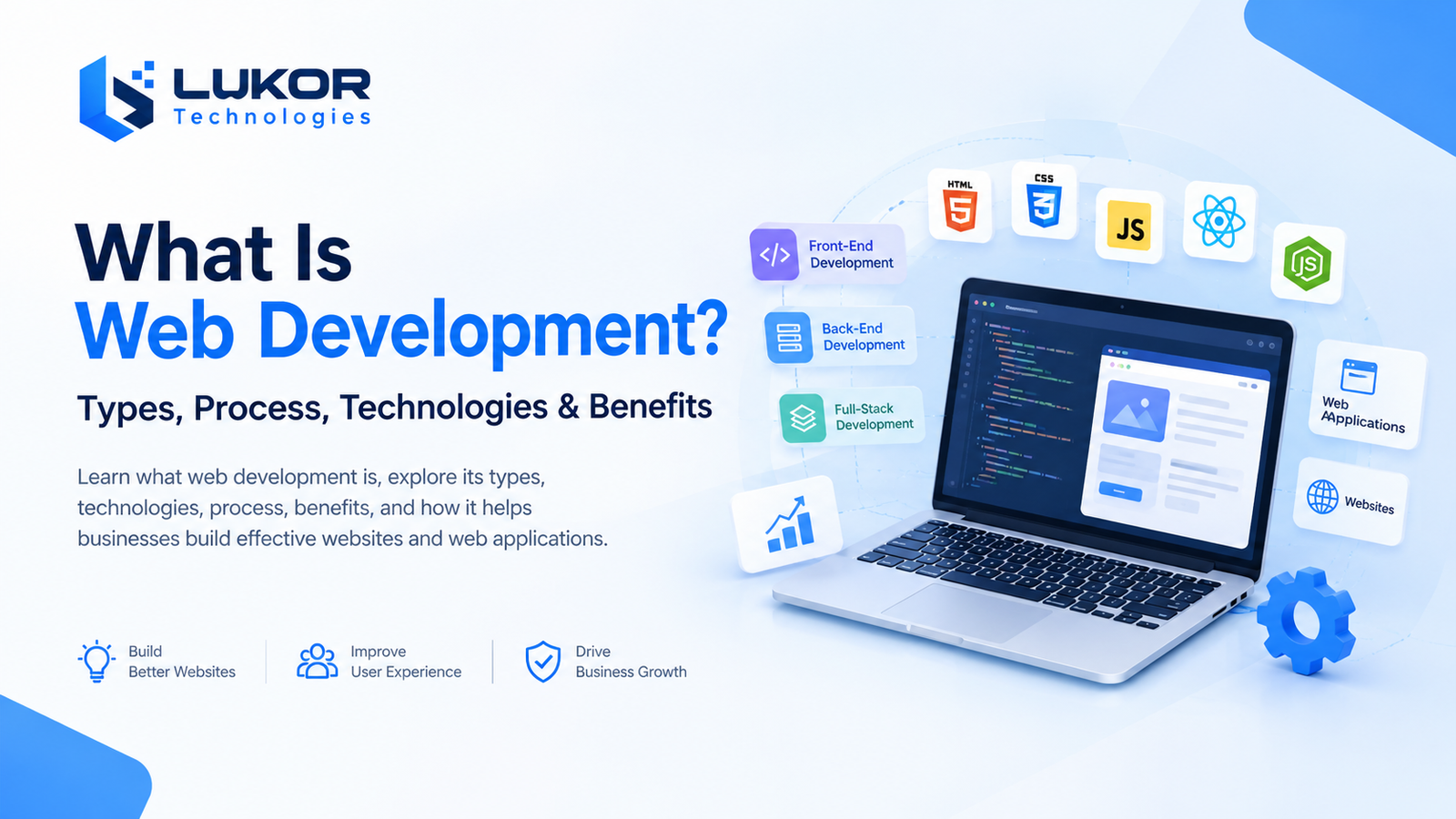
Web development is the process of building, testing, and maintaining websites and web applications. It combines front-end design, back-end programming, databases, and other technologies to create secure, functional, and responsive digital experiences.
As businesses increasingly invest in digital platforms, the web development industry continues to expand. Grand View Research projects that the global web development market will reach $151.9 billion by 2033, highlighting the growing importance of websites and web applications in the digital economy. Grand View Research
Understanding the types of web development, the technologies involved, and the development process helps businesses make informed decisions when building or improving their online presence.
Quick Answer: What Is Web Development?
Web development is the process of creating, building, and maintaining websites and web applications using technologies such as HTML, CSS, JavaScript, programming languages, frameworks, and databases. It includes front-end development, back-end development, testing, deployment, and ongoing maintenance to ensure websites and web applications function securely, reliably, and efficiently.
What Are the Main Types of Web Development?
The three main types of web development are front-end, back-end, and full-stack development. Each serves a different purpose, but they work together to deliver complete website and web application experiences.
1. Front-End Development
Front-end development focuses on the parts of a website or web application that users see and interact with. It turns designs into functional interfaces that work across desktops, tablets, and mobile devices.
Front-end developers build page layouts, navigation menus, forms, interactive elements, and responsive interfaces. They also consider accessibility, usability, and performance to help visitors navigate a website effectively.
Common front-end technologies include:
- HTML: Structures website content and page elements.
- CSS: Controls layouts, colors, typography, spacing, and responsive design.
- JavaScript: Adds interactive behavior and dynamic functionality.
- React and Next.js: Support the development of component-based interfaces and modern web applications.
For example, on an e-commerce website, the product gallery, navigation menu, shopping cart interface, and checkout form are all part of the front end.
2. Back-End Development
Back-end development manages the server-side functionality that supports a website or web application. It handles data processing, business logic, authentication, database operations, and communication between different systems.
When a customer signs in, places an order, or submits a form, the back end processes the request and returns the appropriate response.
Common back-end technologies include:
- Node.js: Runs JavaScript on the server.
- Python: Supports web applications, APIs, data processing, and automation.
- PHP: Powers many websites, content management systems, and web applications.
- .NET: Provides frameworks and tools for building web applications and enterprise systems.
Back-end development also involves database design, API integration, error handling, and security controls.
For example, when a customer places an order, the back end validates the request, processes the order information, updates inventory, and stores the transaction details.
3. Full-Stack Development
Full-stack development combines front-end and back-end development. Professionals in this area work across user interfaces, server-side logic, APIs, and databases. Their responsibilities vary depending on the project requirements and team structure.
This approach can be useful for startups building an initial product, businesses developing internal tools, and teams creating web applications that require coordinated front-end and back-end functionality.
For example, a SaaS project management platform may require a dashboard, user authentication, project creation, task assignment, notifications, and database storage. Full-stack development brings these components together into one working application.
Website Development vs. Web Application Development
Website development and web application development both involve building digital products accessed through a browser, but their primary purposes and functionality can differ.
A website typically presents information, services, products, or resources. A web application focuses more on interactive tasks, personalized experiences, data processing, and user workflows. The distinction is not absolute because modern websites often include application-like features.
| Feature | Website Development | Web Application Development |
|---|---|---|
| Primary purpose | Present information or promote services | Enable users to complete tasks |
| Common examples | Business websites, blogs, landing pages | SaaS platforms, customer portals, booking systems |
| User interaction | Often focused on browsing and content | Often involves workflows and dynamic data |
| Typical functionality | Pages, forms, navigation, content management | Authentication, dashboards, APIs, database operations |
| Complexity | Varies by design and functionality | Often greater when complex workflows are required |
For example, a company website may explain services, display case studies, and provide contact information. A customer portal for the same company might let users sign in, manage projects, view invoices, and track service requests.
The right approach depends on what users need to accomplish, the required functionality, and the business objectives.
Which Technologies Are Used in Web Development?
Web development technologies include programming languages, frameworks, databases, APIs, cloud platforms, and development tools. Together, these components form a technology stack that supports a website or web application.
The best web development technologies depend on the project’s requirements, team expertise, security needs, performance goals, and long-term maintenance plans.
1. Front-End Technologies
Front-end technologies control how website content is structured, displayed, and experienced by users.
- HTML: Defines the structure and meaning of web content.
- CSS: Styles content and creates responsive layouts.
- JavaScript: Enables dynamic behavior and browser-side interactions.
- React: Helps developers build reusable interface components.
- Next.js: Extends React with features for building web applications, including routing and different rendering approaches.
These technologies are commonly used for business websites, interactive dashboards, e-commerce interfaces, and SaaS products.
2. Back-End Technologies
Back-end technologies process requests, apply business rules, manage data, and connect different application components.
- Node.js: Useful for JavaScript-based server applications and APIs.
- Python: Supports web development through frameworks such as Django and Flask.
- PHP: Commonly used for server-rendered websites and content management systems.
- .NET: Supports web APIs, business applications, and enterprise systems.
The selection depends on the application architecture, existing infrastructure, integration requirements, and the capabilities of the development team.
3. Databases and Data Management
Databases store and organize information used by websites and web applications, including user accounts, product details, transactions, and business records.
Common database technologies include:
- PostgreSQL: A relational database suited to structured data and complex queries.
- MySQL: A relational database widely used in web applications.
- MongoDB: A document-oriented database that stores data in flexible document structures.
Database selection depends on data relationships, consistency requirements, query patterns, expected workload, and operational needs.
For example, an e-commerce platform may use a relational database for orders, payments, and inventory records, while another application may benefit from a document-oriented data model.
4. Cloud, APIs, and Development Tools
Web applications often rely on supporting technologies to communicate with external services, run in production, and maintain consistent development workflows.
- Cloud platforms: AWS, Microsoft Azure, and Google Cloud provide infrastructure and managed services.
- APIs: REST APIs and other interfaces enable communication between applications and services.
- Version control: Git helps teams track code changes and collaborate.
- CI/CD tools: Automate parts of the testing, integration, and deployment process.
A well-chosen technology stack should meet current requirements without introducing unnecessary complexity. Developers should also account for security updates, monitoring, backups, and ongoing maintenance.
For additional technical guidance, MDN Web Docs provides references for core web technologies, accessibility, performance, and security.
What Is the Web Development Process? (Step by Step)
The web development process turns an idea or business requirement into a functional website or web application. Although the exact workflow varies by project, most development projects include planning, design, implementation, testing, deployment, and maintenance.
1. Requirements Gathering and Planning
The first step is understanding the project’s purpose, target users, business objectives, and functional requirements.
This stage identifies the main features, integrations, technical constraints, expected outcomes, and project priorities. It may also include research into user needs and existing systems.
Expected outcome: A defined scope, prioritized requirements, and an initial development plan.
2. UI/UX Design and Prototyping
UI/UX design determines how users navigate and interact with the website or application.
Designers may create user flows, wireframes, prototypes, and visual layouts to evaluate the experience before development begins. They consider usability, accessibility, responsive behavior, and consistency across devices.
Expected outcome: An approved design direction and interface specifications.
3. Front-End and Back-End Development
Developers implement the approved designs and build the functionality required by the project.
Front-end development creates the user interface, while back-end development handles server-side logic, authentication, data processing, and other application operations.
Expected outcome: Working interfaces and application functionality.
4. Database and API Integration
Many websites and web applications need to exchange data with databases, payment providers, CRM systems, analytics platforms, or other business tools.
Developers implement the required integrations and ensure that information is transferred, validated, and stored appropriately. Authentication, permissions, error handling, and data protection must be considered.
Expected outcome: Connected systems that support the required workflows.
5. Testing, Security, and Quality Assurance
Testing helps identify defects and verify that the website or application meets its requirements.
Depending on the project, quality assurance may include:
- Functional and integration testing
- Cross-browser and responsive testing
- Performance testing
- Accessibility checks
- Security testing
- User acceptance testing
Security measures should be built into development rather than added only before launch.
Expected outcome: A tested release candidate with identified issues addressed according to their severity.
6. Deployment and Launch
Deployment makes the website or application available in its production environment.
This stage may involve configuring hosting, domains, SSL/TLS certificates, environment variables, monitoring, backups, and release procedures. Developers should also verify critical functionality after deployment.
Expected outcome: A live website or application that users can access.
7. Maintenance and Continuous Improvement
Web development continues after launch. Software dependencies change, user expectations evolve, and business requirements may expand.
Ongoing maintenance can include security updates, bug fixes, performance improvements, content updates, monitoring, backups, and new features. User feedback and analytics can help teams prioritize future improvements.
Expected outcome: A maintained digital product that continues to meet its intended requirements.
What Are the Benefits of Web Development for Businesses?
Web development helps businesses establish digital touchpoints, deliver online services, and support day-to-day operations. The benefits depend on the quality of implementation and how well the solution addresses actual business needs.
1. Improved Online Visibility and Accessibility
A well-structured website gives customers a place to learn about a business, explore its services, and find relevant information. A website can also support organic search visibility when its content, technical setup, accessibility, and overall user experience are handled effectively.
Responsive design allows users to access the website across different screen sizes and devices.
2. Better Customer Experience
Web development can make it easier for customers to find information, compare products, submit inquiries, make purchases, and access services.
Clear navigation, accessible interfaces, useful content, and reliable performance help reduce unnecessary friction during these activities.
3. Business Process Automation
Web applications can automate repetitive tasks that would otherwise require manual work.
Examples include appointment scheduling, invoice generation, order processing, document submission, and customer notifications. Automation can reduce repetitive administrative effort, although the actual benefit depends on workflow design and implementation.
4. Integration With Business Systems
Custom websites and web applications can connect with existing business tools, such as CRM platforms, inventory systems, payment gateways, accounting software, and customer support platforms.
These integrations can reduce duplicate data entry and help teams access relevant information through connected workflows.
5. Scalability and Flexibility
A website or web application can be designed to accommodate changing business requirements. New functionality, integrations, user roles, or services can be added as needs evolve.
However, scalability is not automatic. Architecture, infrastructure, database design, monitoring, and application performance all influence how effectively a solution handles growth.
6. Data Collection and Business Insights
With appropriate analytics and privacy controls, businesses can understand how visitors use their websites, which pages attract attention, and where users encounter difficulties.
These insights can inform decisions about content, navigation, customer journeys, and product improvements. Data collection should follow applicable privacy requirements and clearly defined business purposes.
What Does a Web Developer Do?
A web developer builds, tests, improves, and maintains websites or web applications. Their responsibilities depend on their specialization, the project’s complexity, and the structure of the development team.
Typical web developer responsibilities include:
- Translating requirements and designs into working code.
- Building responsive interfaces and interactive features.
- Developing server-side functionality and APIs.
- Integrating databases and third-party services.
- Testing functionality, performance, and security.
- Identifying and fixing bugs.
- Maintaining existing applications and updating dependencies.
- Collaborating with designers, project managers, and other developers.
Front-end developers focus primarily on user-facing functionality. Back-end developers work on server-side systems and data processing. Full-stack developers contribute to both areas.
In larger projects, web development may also involve UI/UX designers, QA engineers, DevOps specialists, security professionals, and product managers.
How Much Does Web Development Cost?
Web development costs vary according to the project’s scope, functionality, technical requirements, and ongoing support needs. A simple informational website generally requires a different level of effort from an e-commerce platform, customer portal, or complex SaaS application.
The main factors affecting web development cost include:
Project scope and functionality: A website with a few informational pages requires different resources from an application with user accounts, dashboards, and complex workflows.
Design complexity: Custom interfaces, advanced interactions, accessibility requirements, and multiple user journeys can affect design and implementation effort.
Technology stack: Frameworks, infrastructure, existing systems, and specialist technical requirements influence development decisions and costs.
Third-party integrations: Payment gateways, CRM systems, ERP platforms, and external APIs may require additional integration and testing.
Security and compliance: Authentication, access controls, data protection, audit requirements, and industry-specific obligations can add complexity.
Testing and maintenance: Quality assurance, hosting, monitoring, bug fixes, security updates, and future enhancements contribute to the total cost of ownership.
For an accurate estimate, businesses should define the required features, integrations, performance expectations, and maintenance arrangements before comparing proposals.
For a related cost breakdown, read How Much Does Custom Software Development Cost?.
How Do You Choose the Right Web Development Approach?
Choosing the right web development approach starts with understanding what the business needs to achieve. Not every project requires a fully custom solution, and the best option depends on functionality, flexibility, budget, and long-term plans.
1. Define Your Business Goals
Identify whether the project needs to generate inquiries, sell products, provide customer access, automate internal processes, or deliver a digital service. Clear goals help determine the required functionality.
2. Identify Required Features and Integrations
List essential features, such as content management, user authentication, payment processing, reporting, or integration with existing business systems. Separate essential launch requirements from features that can be added later.
3. Evaluate Scalability, Security, and Performance
Consider expected traffic, data sensitivity, user permissions, response times, and future growth. Security and performance requirements should influence architecture and technology selection from the beginning.
4. Compare Existing Platforms With Custom Development
An existing platform or content management system may be suitable when requirements are well supported by available features. Custom web development may be more appropriate when the project requires specialized workflows, complex integrations, or greater control over functionality.
The decision should be based on the total cost, limitations, flexibility, and maintenance requirements of each option.
5. Consider Long-Term Maintenance
Review how the solution will be monitored, updated, secured, and improved after launch. Consider documentation, technical support, ownership of source code, hosting arrangements, and the availability of developers familiar with the selected technologies.
Businesses planning a new website or web application can explore Lukor’s Web Development Services to understand the available development options.
Conclusion
Web development combines design, programming, data management, testing, and maintenance to create functional websites and web applications. Understanding the main types of web development, the technologies involved, and the development process helps businesses make informed decisions about their digital projects.
The right approach depends on the target audience, required features, security needs, integrations, budget, and plans for future growth. Evaluating these factors early helps businesses build digital solutions that are useful, maintainable, and aligned with their goals.
For businesses planning a new website or web application, defining project requirements is a practical first step. If you need guidance on your project, contact our team to discuss your requirements and explore the right development approach.
Frequently Asked Questions About Web Development
What Is Web Development and How Does It Work?
Web development is the process of creating and maintaining websites and web applications. It typically involves planning, design, front-end and back-end development, testing, deployment, and ongoing maintenance.
What Are the Three Main Types of Web Development?
The three main types are front-end, back-end, and full-stack development. Front-end development handles user-facing interfaces, back-end development manages server-side functionality, and full-stack development combines both.
What Is the Difference Between Front-End and Back-End Development?
Front-end development focuses on the interface users see and interact with. Back-end development handles server-side logic, data processing, authentication, databases, and APIs that support the interface.
Which Technologies Are Used in Web Development?
Common web development technologies include HTML, CSS, JavaScript, React, Next.js, Node.js, Python, PHP, .NET, PostgreSQL, MySQL, and MongoDB. The appropriate combination depends on the project’s functionality, architecture, security, and maintenance requirements.
How Long Does It Take to Develop a Website?
The development timeline depends on the website’s size, design requirements, functionality, integrations, content readiness, and testing needs. A simple website generally takes less time than a complex web application with authentication, dashboards, and multiple integrations. A realistic timeline requires a defined project scope.
How Much Does Web Development Cost?
Web development costs depend on project complexity, design, features, technology choices, integrations, security requirements, and ongoing maintenance. A reliable estimate should be based on the project’s specific requirements rather than a single price that applies to every website.
Is Web Development Different From Software Development?
Web development is a branch of software development focused on websites and browser-based applications. Software development is broader and also includes mobile applications, desktop software, embedded systems, and other types of digital products.
Why Is Web Development Important for Businesses?
Web development gives businesses a digital platform to present information, reach customers, sell products, deliver online services, and improve workflows. The value depends on how effectively the website or application supports customer needs and business objectives.