Mobile apps help businesses connect with customers, streamline operations, deliver digital services, and create new revenue opportunities. From e-commerce and healthcare to banking and logistics, organizations use mobile applications to make products and services more accessible.
However, building a successful mobile application involves more than writing code. It requires a clear idea, an understanding of user needs, the right development platform, suitable technologies, thoughtful design, reliable development, and continuous improvement. Following a complete guide to custom mobile app development can help businesses understand each stage and build an application tailored to their specific requirements.
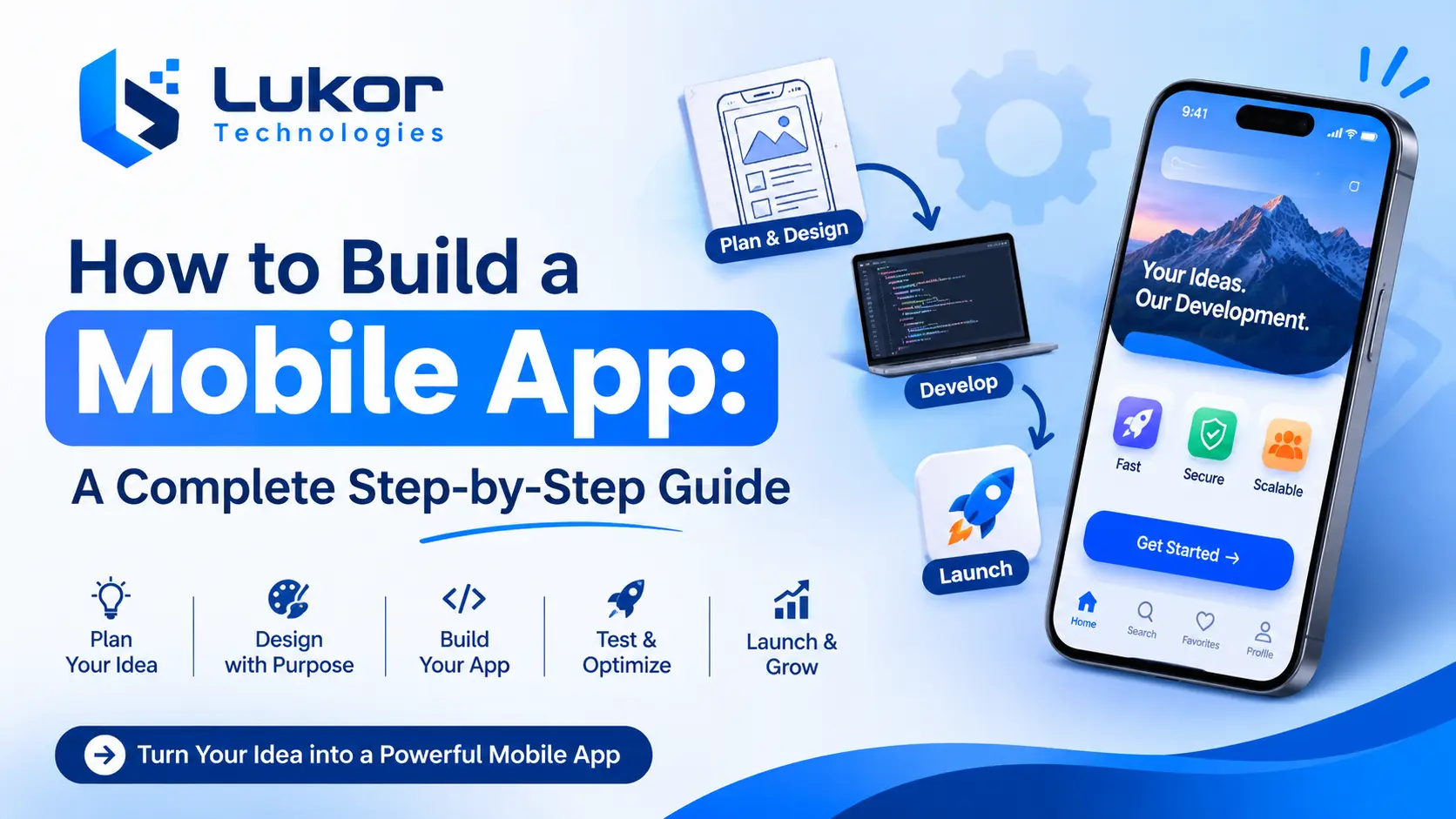
How do you build a mobile app? The process generally involves nine steps: defining your app idea, researching your audience, choosing a platform, selecting technologies, designing the interface, developing the frontend and backend, testing the application, launching it, and maintaining it after release.
Whether you are a startup founder planning a new digital product or an established business looking to improve customer experiences, understanding these steps can help you plan your project more effectively.
Quick Answer: How Do You Build a Mobile App?
To build a mobile app from scratch, follow these nine main steps:
- Define your app idea and business goals.
- Research your target audience and identify essential features.
- Choose the right platform: Android, iOS, or both.
- Select suitable mobile app development technologies.
- Design the app’s user interface and user experience.
- Develop the frontend, backend, and integrations.
- Test the app for functionality, security, and performance.
- Launch the application on Google Play and the Apple App Store.
- Maintain, monitor, and improve the app after launch.
The development timeline and cost depend on the app’s complexity, features, technology stack, integrations, and project requirements.
Mobile App Development Process at a Glance
The mobile app development process follows several stages, from initial planning to post-launch maintenance. Each stage has a specific purpose and produces deliverables that guide the next phase.
| Development Stage | Main Purpose | Expected Deliverable |
|---|---|---|
| Planning and discovery | Define the app idea, goals, scope, and requirements | Project roadmap and requirements document |
| Market and user research | Understand target users and validate demand | User personas and feature priorities |
| Platform selection | Choose Android, iOS, or cross-platform development | Platform and architecture strategy |
| Technology selection | Identify programming languages, frameworks, and tools | Technology stack |
| UI/UX design | Create the app structure and user experience | Wireframes and design prototypes |
| App development | Build frontend, backend, database, and integrations | Functional application |
| Testing and QA | Verify security, usability, compatibility, and performance | Tested release candidate |
| Deployment | Prepare and publish the application | Live app on app stores |
| Maintenance | Monitor, update, and improve the application | Updated and maintained app |
Understanding these stages helps businesses plan development activities, allocate resources, and establish realistic project expectations.
1. How to Plan Your Mobile App Idea and Define Business Goals
Every successful mobile app starts with a clear purpose. Before selecting technologies or hiring developers, identify the problem your app will solve, who will use it, and how it will support your business goals.
Identify the Problem Your Mobile App Will Solve
Start by understanding the challenges your customers or employees face and how an app could address them.
For example, a healthcare organization might need an app for appointment scheduling and patient communication, while an e-commerce business may want to simplify product discovery and checkout.
Define these key points:
- The problem your app will solve.
- Your target users.
- The value it will provide.
- How it will improve existing processes or services.
Set Clear Business Goals
Determine what you want to achieve with your app. Common objectives include:
- Improving customer experience and engagement.
- Automating business operations.
- Increasing revenue through subscriptions or purchases.
- Improving communication and service delivery.
Set measurable indicators, such as active users, customer retention, completed transactions, or reduced manual workload, to evaluate performance.
Research Competitors and Validate Your Idea
Analyze similar apps to understand their features, pricing, usability, and customer feedback. Identify gaps or opportunities to offer a better user experience.
Validate your idea through customer interviews, surveys, competitor analysis, market research, or prototype testing. This helps confirm demand before significant development investment.
Define Your App Type and Business Model
Choose the application type that best fits your users and business objectives:
- Customer-facing apps: Connect businesses with their customers.
- E-commerce apps: Support product browsing, ordering, and payments.
- On-demand apps: Enable service bookings, deliveries, or transportation.
- Internal business apps: Manage employees, operations, and workflows.
- Subscription-based apps: Provide access to features or content through recurring payments.
Your app type and business model will influence its features, architecture, integrations, and development requirements.
2. Research your target audience and identify essential features.
Once you define your app idea, research your target audience and understand what users expect from the application. This helps you prioritize relevant features and create a user-friendly experience.
Understand Your Target Audience
Identify who will use your app and what they need from it. Consider:
- User demographics and preferences.
- Common problems and expectations.
- Technical familiarity.
- Preferred devices and platforms.
- Accessibility requirements.
Create user personas and map key user journeys to understand how people will navigate the app and complete important tasks.
Identify Essential Mobile App Features
Choose features based on your app’s purpose and user requirements. Common options include:
| Feature | Purpose |
|---|---|
| Registration and login | Allows users to access accounts |
| User profiles | Stores relevant user information |
| Search and navigation | Helps users find content and services |
| Push notifications | Delivers updates and reminders |
| Payment integration | Enables online transactions |
| In-app messaging | Supports user communication |
| Location and GPS | Provides location-based functionality |
| Analytics and reporting | Tracks app usage and performance |
Focus on features that support your app’s primary purpose rather than adding unnecessary functionality.
Prioritize Features for Your First App Version
Group features according to their importance:
- Essential features: Required to deliver the app’s core functionality.
- Important enhancements: Improve usability but can be added later.
- Future features: Additional capabilities based on user feedback and business needs.
This approach keeps the initial development scope manageable and helps control costs.
What Is an MVP in Mobile App Development?
A Minimum Viable Product (MVP) is an initial app version containing the essential features needed to solve a specific user problem.
Developing an MVP helps businesses validate ideas, gather user feedback, understand behavior, and identify improvements before expanding the application.
For example, an appointment-booking MVP might include user registration, service listings, availability, and appointment confirmation. Advanced analytics and additional integrations can be introduced in later versions.
An MVP should still provide a reliable, secure, and usable experience. It reduces initial scope without compromising essential quality.
3. Choose the right platform: Android, iOS, or both.
Choosing the right platform affects your app’s technology, development cost, maintenance, and target audience. The main options are Android, iOS, and cross-platform development.
Android App Development
Android app development focuses on applications for devices running Google’s Android operating system, including smartphones and tablets.
Common technologies include:
- Kotlin and Java.
- Android Studio.
- Jetpack Compose.
Choose Android development when your target audience primarily uses Android devices or your app requires specific Android capabilities.
iOS App Development
iOS app development involves building applications for Apple’s mobile ecosystem.
Common technologies include:
- Swift.
- SwiftUI.
- Xcode.
- Apple development frameworks.
Native iOS development is suitable when you need deep integration with Apple features or an experience tailored to iOS users.
Cross-Platform App Development
Cross-platform development allows you to build applications for Android and iOS using a shared codebase. Popular frameworks include Flutter and React Native.
This approach can reduce duplicated development work and simplify maintenance. However, platform-specific integrations and testing may still be required.
Native vs. Cross-Platform App Development: Which Is Better?
The best approach depends on your app’s functionality, budget, and technical requirements.
| Factor | Native Development | Cross-Platform Development |
|---|---|---|
| Codebase | Separate for each platform | Shared codebase |
| Performance | Optimized for the target platform | Depends on framework and implementation |
| Development cost | May be higher for two platforms | Can reduce duplicated work |
| User experience | Platform-specific | Shared experience with customization options |
| Maintenance | Separate platform updates | Shared code with platform-specific adjustments |
| Best suited for | Apps requiring deep platform integration | Apps targeting Android and iOS efficiently |
Which approach should you choose?
Choose native development for apps requiring specialized device capabilities, deep platform integration, or extensive customization. Consider cross-platform development when you want to support both Android and iOS while reducing duplicated development effort.
Evaluate your budget, performance requirements, app complexity, timeline, and long-term maintenance needs before deciding.
4. Select suitable mobile app development technologies.
The technology stack determines how your app is developed, how its components work together, and how well it supports future growth. Choose technologies based on your application’s functionality, security, performance, and maintenance requirements.
Mobile App Programming Languages
Different programming languages support different mobile platforms and development approaches.
| Programming Language | Common Use |
|---|---|
| Swift | Native iOS development |
| Kotlin | Native Android development |
| Java | Android and backend development |
| Dart | Flutter development |
Mobile App Development Frameworks
Frameworks provide tools and reusable components that simplify application development.
- Flutter: Uses Dart to build cross-platform applications from a shared codebase.
- React Native: Uses JavaScript or TypeScript and React concepts to develop applications for Android and iOS.
- SwiftUI: Apple’s framework for building user interfaces across its platforms using Swift.
Select a framework based on platform support, performance needs, available libraries, and long-term maintenance.
Backend Technologies for Mobile Applications
Backend technologies manage application logic, data processing, authentication, APIs, and integrations.
Common options include:
- Node.js: Suitable for API-driven applications and real-time services.
- Python: Useful for backend development, automation, and AI-powered functionality.
- Java: Commonly used for enterprise and large-scale backend systems.
- .NET: Supports enterprise applications, APIs, and Microsoft ecosystem integrations.
Databases and Cloud Technologies
Databases store application data, while cloud platforms provide infrastructure for hosting services and supporting application growth.
Common database options include PostgreSQL, MySQL, MongoDB, and Firebase. Cloud platforms can support application hosting, data storage, backend services, and scalability.
Choose these technologies according to your data requirements, security needs, expected traffic, and infrastructure budget.
How to Choose the Right Technology Stack
Before finalizing your technology stack, consider:
- Functionality: Does it support your app’s required features?
- Performance: Can it handle expected workloads and real-time operations?
- Security: Can it protect user data and application services?
- Scalability: Can it accommodate future growth?
- Integration: Does it connect with required third-party systems?
- Maintenance: Can your team support and update it efficiently?
- Budget: Does it fit your development and infrastructure costs?
The right technology stack should meet current requirements while allowing your application to evolve without unnecessary complexity.
5. Design the app’s user interface and user experience.
A mobile app should be easy to navigate and use. A confusing interface can discourage users, even when the application’s functionality is strong. Effective UI/UX design creates an intuitive, accessible, and consistent experience.
Understand Mobile App UI and UX Design
User Interface (UI) focuses on visual elements such as buttons, icons, forms, menus, and screen layouts.
User Experience (UX) focuses on how users navigate the app and complete tasks.
Both work together to make an application functional and user-friendly.
Create Wireframes and App Prototypes
Wireframes outline the structure and layout of app screens, while interactive prototypes demonstrate how users will navigate the application.
The process typically involves:
- Mapping user journeys and application screens.
- Creating wireframes.
- Developing interactive prototypes.
- Collecting stakeholder and user feedback.
- Refining the design before development.
Prototyping helps identify usability issues early and reduces costly design changes later.
Design an Intuitive Mobile App Interface
Follow these practical UI/UX principles:
- Keep navigation simple and consistent.
- Use readable typography and clear visual elements.
- Make important actions easy to find.
- Design touch-friendly buttons and forms.
- Ensure layouts adapt to different screen sizes.
- Follow platform design and accessibility guidelines.
Test the Design Before Development
Test your prototype with representative users. Observe whether they can navigate screens, understand interface elements, and complete key tasks.
Use their feedback to improve the design before moving into development.
For additional guidance on creating a user-friendly and reliable application, explore these mobile app development tips covering design, security, performance, testing, and maintenance.
6. Develop the Frontend and Backend of Your Mobile App
After planning, platform selection, technology decisions, and design are complete, the development team begins building the application.
Mobile app development generally involves frontend development, backend development, database configuration, and integrations.
Develop the Mobile App Frontend
The frontend is the part of the application users see and interact with.
Frontend development involves:
- Building application screens.
- Implementing navigation.
- Creating forms and interactive elements.
- Connecting screens to backend services.
- Managing loading states and error messages.
- Supporting different device sizes and operating system versions.
The frontend should follow the approved UI/UX design while providing a consistent experience across supported devices.
Build the Backend Architecture
The backend manages the application’s core logic and data processing.
Typical backend responsibilities include:
- User authentication and authorization.
- Business logic and application workflows.
- Database operations.
- API development.
- Data validation.
- Notifications.
- Payment processing.
- Integration with external systems.
The backend architecture should support the application’s current functionality while allowing for future changes and increasing usage.
Integrate APIs and Third-Party Services
APIs allow mobile applications to communicate with external platforms and services.
Depending on the application, integrations may include:
- Payment gateways.
- Maps and GPS services.
- Push notification providers.
- Social login services.
- Analytics platforms.
- CRM systems.
- Healthcare or enterprise software.
- Cloud storage services.
Choose integrations carefully. Review their documentation, security practices, pricing, reliability, and compatibility with your technology stack.
Implement Mobile App Security
Security should be considered throughout the development process rather than added only before launch.
Important practices include:
- Implement secure authentication.
- Apply role-based access controls.
- Protect sensitive information.
- Use encrypted communication.
- Validate user input.
- Secure API endpoints.
- Avoid storing unnecessary sensitive information on devices.
- Keep libraries and dependencies updated.
Security requirements vary depending on the type of application and information it handles.
Mobile App Security and Compliance Considerations
Applications that collect personal, financial, or healthcare information may have additional privacy and security responsibilities.
For example, US healthcare applications that handle protected health information on behalf of covered entities or business associates may be subject to HIPAA requirements.
Businesses should evaluate applicable requirements based on their role, data, services, and operating locations.
Consider the following:
- Data privacy and user consent.
- Secure data storage and transmission.
- Authentication and access permissions.
- Data retention and deletion policies.
- Audit logging and monitoring.
- Third-party service provider responsibilities.
- Security testing and vulnerability management.
The US Department of Health and Human Services provides information about the HIPAA Privacy and Security Rules.
For regulated applications, involve qualified security, privacy, and compliance professionals early in the project.
Common Mobile App Development Mistakes to Avoid
Some development problems can be prevented through better planning and technical decisions.
Avoid these common mistakes:
- Starting without clear requirements: Unclear project goals often lead to scope changes and unnecessary work.
- Adding too many features: Excessive functionality can increase complexity and delay the initial release.
- Ignoring security: Weak authentication, poor access controls, and insecure data handling can expose users and businesses to risk.
- Choosing unsuitable technologies: A technology stack should match the application’s actual requirements.
- Overlooking device compatibility: Applications need testing across their supported devices and operating system versions.
- Neglecting scalability: Architecture should account for expected growth and future integrations.
- Skipping user feedback: Testing with representative users helps identify usability issues before launch.
Real-World Examples: Healthcare and Telehealth Mobile App Development
Practical projects demonstrate how mobile applications and connected software systems can address industry-specific requirements.
Example 1: Healthcare Software Development for Multi-Clinic Operations
Healthcare organizations often manage patient information, appointments, staff activities, and administrative workflows across multiple locations. When these processes are disconnected, coordinating daily operations can become difficult.
Lukor Technologies developed a centralized healthcare software solution for multi-clinic operations. The case study describes capabilities including patient management, appointment scheduling, electronic health records, telemedicine, patient communication, reporting, and role-based access.
The solution uses technologies including React, Node.js, PostgreSQL, AWS, and WebRTC.
Explore the healthcare software development case study to see how custom software can bring healthcare workflows together.
Example 2: Telehealth Mobile App Development for Virtual Doctor Consultations
Telehealth applications help connect patients and healthcare professionals through digital services.
Lukor Technologies designed a telehealth mobile app concept supporting iOS, Android, and web. Its described capabilities include patient registration, doctor discovery, appointment booking, virtual video consultations, secure messaging, reminders, and consultation summaries.
The project uses technologies such as React Native, Node.js, PostgreSQL, WebRTC, Firebase, and AWS.
This example demonstrates how mobile application development can combine user-facing functionality, real-time communication, backend services, and integrations into a connected digital experience.
Read the telehealth mobile app development case study for more project details.
7. Test the app for functionality, security, and performance
Mobile app testing verifies that an application works correctly, performs reliably, and provides a secure user experience before launch.
Functional Testing
Functional testing checks whether app features work as expected. Test key workflows, including:
- User registration and login.
- Profile management and navigation.
- Form submissions and search.
- Payments and appointment bookings.
- Notifications and data synchronization.
Also test error scenarios to ensure the app handles unexpected inputs correctly.
UI and Usability Testing
Evaluate how easily users can navigate and interact with the application. Check screen layouts, button behavior, readability, navigation consistency, error messages, and accessibility.
User feedback can help identify usability issues before release.
Compatibility Testing
Test your app across supported Android and iOS versions, smartphone models, tablet sizes, screen resolutions, and device configurations. This helps identify device-specific functionality and layout issues.
Performance and Load Testing
Evaluate application speed, responsiveness, and reliability under different conditions. Check:
- Screen loading and API response times.
- Memory and resource usage.
- Network performance.
- Backend response under expected traffic.
Load testing helps identify performance bottlenecks before user demand increases.
Security Testing
Review authentication, authorization, API security, data storage, encryption, and third-party dependencies. Additional security assessments may be necessary for applications handling sensitive information or subject to specific regulatory requirements.
Beta Testing and Bug Fixing
Release a test version to selected users and collect feedback on usability, performance, and functionality. Fix identified issues and perform regression testing to ensure updates have not affected existing features.
Before deployment, confirm that the application meets the project’s agreed quality, security, and performance requirements.
8. Launch Your Mobile App on Google Play and Apple App Store
After development and testing, prepare the application for distribution.
The launch process includes production builds, store listings, policy checks, and submission for review.
Prepare Your App for Launch
Before publishing:
- Create production-ready application builds.
- Complete final testing.
- Configure release settings.
- Prepare application icons.
- Create screenshots and promotional assets.
- Write an accurate app description.
- Review privacy disclosures.
- Prepare required support and contact information.
Check the current requirements of each distribution platform before submission.
Publish Your App on Google Play
To distribute an Android application through Google Play:
- Set up the required developer account.
- Prepare the application release.
- Create the store listing.
- Complete relevant content, privacy, and data safety declarations.
- Review applicable platform policies.
- Submit the application for review.
Google Play provides developer resources covering app distribution, safety, testing, and release management. Review the Google Play developer information before publishing.
Publish Your App on the Apple App Store
To distribute an iOS application through Apple’s App Store:
- Prepare the iOS release build.
- Configure the application in App Store Connect.
- Add the app description, screenshots, and required information.
- Complete privacy and other applicable declarations.
- Review Apple’s submission requirements.
- Submit the app for review.
Apple evaluates applications against its published review requirements. Read the current App Store Review Guidelines before submitting.
Monitor the App After Launch
Publishing is not the final stage of mobile app development.
After release, monitor:
- Downloads and installations.
- Active users.
- Application crashes.
- Performance and loading times.
- User ratings and reviews.
- Feature engagement.
- User retention.
Use this information to identify improvements and prioritize future updates.
9. Maintain, monitor, and improve the app after launch
Mobile app maintenance keeps an application secure, reliable, and compatible as user needs and technologies evolve. Regular monitoring, updates, and improvements help maintain performance and support business growth.
Monitor App Performance and User Feedback
Use analytics and monitoring tools to track app performance and user behavior. Review crash reports, loading times, engagement, retention, and customer feedback to identify issues and improvement opportunities.
Release Regular Updates and Bug Fixes
Keep your application up to date through regular maintenance activities, including:
- Fixing bugs and improving existing features.
- Updating libraries and dependencies.
- Maintaining API integrations.
- Supporting new operating system versions.
- Improving performance and stability.
Prioritize updates based on their impact on users and business operations.
Improve Security and Data Protection
Regularly review authentication, access permissions, dependencies, and infrastructure security. Apply security updates and monitor vulnerabilities to protect application data.
For apps handling sensitive information, review privacy and security controls against applicable regulatory requirements.
Scale Your App as Your Business Grows
As usage increases, your application may need additional infrastructure and functionality. Consider:
- Optimizing backend services and databases.
- Scaling cloud infrastructure.
- Improving API performance.
- Supporting more users and integrations.
- Adding features based on user feedback.
Ongoing maintenance ensures your app can adapt to changing user expectations and business requirements.
How Much Does It Cost to Build a Mobile App?
Mobile app development costs depend on application complexity, features, platform choices, integrations, and development requirements. A basic app with limited functionality generally requires less investment than a complex platform with real-time services, payment processing, and custom backend systems.
Key Factors That Affect Mobile App Development Costs
Several factors influence the overall development budget:
- App complexity and features: Advanced functionality, custom workflows, and multiple user roles increase development effort.
- Number of platforms: Building separate native Android and iOS apps may require more resources than using a shared cross-platform codebase.
- UI/UX design: Custom interfaces, interactive prototypes, and accessibility requirements affect design costs.
- Frontend and backend development: Screens, APIs, databases, and business logic determine development effort.
- Third-party integrations: Payment gateways, maps, messaging services, and CRM systems add integration work.
- Security and compliance: Sensitive data may require additional security controls, testing, and compliance-related work.
- Testing and deployment: Compatibility, performance, security testing, and app store preparation contribute to project costs.
- Maintenance and infrastructure: Hosting, monitoring, updates, bug fixes, and technical support add ongoing expenses.
Mobile App Development Cost by App Complexity
The following table provides broad illustrative planning estimates for different application types.
| App Complexity | Typical Features | Estimated Cost |
|---|---|---|
| Simple app | Basic screens, standard features, limited integrations | $10,000–$30,000 |
| Medium-complexity app | User accounts, APIs, payments, custom functionality | $30,000–$80,000 |
| Complex app | Advanced integrations, custom backend, real-time features, scalability | $80,000–$200,000+ |
Note: These are illustrative budgeting ranges, not verified market averages or fixed quotations. Actual costs depend on project scope, team location, technology choices, integrations, security requirements, and delivery expectations.
For a more accurate estimate, define your app’s features, platforms, and technical requirements before requesting a development proposal.
How Long Does It Take to Build a Mobile App?
Development time depends on application complexity, platform requirements, integrations, team size, and feedback cycles.
| Development Stage | Estimated Time |
|---|---|
| Discovery and planning | 1–3 weeks |
| UI/UX design | 2–4 weeks |
| Frontend and backend development | 4–12+ weeks |
| Testing and quality assurance | 2–4 weeks |
| Deployment and launch preparation | 1–2 weeks |
These stages may overlap. A simple application may take a few weeks to a few months, while a complex application with advanced integrations or regulatory requirements may take several months or longer.
Clear requirements, timely feedback, and effective project management help minimize avoidable delays.
Can You Build a Mobile App Without Coding?
Yes. No-code and low-code platforms allow users to create applications with limited traditional programming.
They can be useful for:
- Simple business applications.
- Internal workflow tools.
- Basic booking applications.
- Prototypes and MVPs.
However, these platforms may have limitations when an app requires complex business logic, custom integrations, advanced security, or extensive scalability.
Custom development is often more suitable when an application needs tailored functionality, greater technical control, or integration with existing business systems. The right approach depends on your budget, requirements, and long-term goals.
How to Choose the Right Mobile App Development Company
Choosing the right mobile app development company is important, particularly for applications involving complex features, sensitive data, or long-term business requirements.
Look for a development partner that can manage the complete process, from planning and design to development, testing, launch, and maintenance.
Evaluate Technical Expertise and Industry Experience
Review the company’s experience with:
- Android, iOS, and cross-platform development.
- Frontend and backend technologies.
- APIs and third-party integrations.
- Cloud infrastructure and databases.
- Application security and quality assurance.
Consider industry experience as well, since healthcare, e-commerce, and financial applications have different technical and operational requirements.
Review Previous Projects and Case Studies
Examine the company’s portfolio and case studies to assess its practical experience. Look for projects with similar functionality, relevant industry knowledge, effective design, and clearly explained technical solutions.
Understand the Development Process
Ask how the company handles:
- Requirement analysis and project planning.
- UI/UX design and development.
- Testing and quality assurance.
- Project communication and progress updates.
- Deployment and post-launch support.
A transparent development process helps establish clear expectations and reduce project risks.
Compare Pricing, Timelines, and Support
Request a detailed proposal outlining:
- Project scope and deliverables.
- Features and technology stack.
- Development milestones and timeline.
- Pricing and payment structure.
- Testing responsibilities.
- Maintenance and support arrangements.
Compare companies based on their technical expertise, delivery approach, and long-term value rather than choosing solely on the lowest price.
Why Choose an Experienced Mobile App Development Partner?
An experienced development partner can help translate business requirements into a practical technical solution.
Lukor Technologies provides mobile app development services covering planning, UI/UX design, application development, backend engineering, API integrations, testing, and ongoing support.
Whether you are planning a new digital product or improving an existing application, the development approach should align with your business goals, users, and long-term requirements.
Explore Lukor Technologies’ mobile app development services to learn more about its development capabilities.
Conclusion
Building a successful mobile app requires careful planning, the right technology choices, user-focused design, reliable development, and continuous improvement.
The process begins with defining your app idea and understanding your audience. From there, you select the right platform, choose suitable technologies, design the interface, develop the frontend and backend, and test the application before launch.
However, the work does not end when the app becomes available. Regular updates, security improvements, performance monitoring, and user feedback help keep the application useful as business requirements change.
Whether you are developing an MVP, a customer-facing application, or a complex enterprise platform, a well-planned development process can help you make better technical and business decisions.
If you are planning a mobile application, contact Lukor Technologies to discuss your requirements and development goals.
Frequently Asked Questions
1. How Do You Build a Mobile App from Scratch?
To build a mobile app from scratch, start by defining your idea and business goals. Research your target audience, identify essential features, choose a development platform, and select suitable technologies. Then design the interface, develop the frontend and backend, test the application, publish it, and maintain it after launch.
2. How Much Does It Cost to Build a Mobile App?
Mobile app development costs depend on the application’s complexity, features, platforms, integrations, and development requirements. As an illustrative planning range, a simple app may cost $10,000–$30,000, a medium-complexity app $30,000–$80,000, and a complex app $80,000–$200,000 or more.
3. How Long Does It Take to Develop a Mobile App?
A mobile app may take several weeks to a few months to develop, depending on its functionality, design, integrations, and testing requirements. Simple applications generally require less development time, while complex applications with custom backend systems and advanced features may take several months or longer.
4. Can I Build a Mobile App Without Coding?
Yes. No-code and low-code platforms allow users to create simple applications without extensive programming knowledge. They can be useful for prototypes, internal tools, and basic business applications. However, complex applications requiring custom functionality, integrations, advanced security, or scalability may need professional development.
5. What Is the Best Technology for Mobile App Development?
The best technology depends on the application’s requirements. Swift is commonly used for native iOS development, while Kotlin is used for native Android development. Flutter and React Native are popular cross-platform options. The right choice depends on performance, features, budget, and maintenance needs.
6. Can One Mobile App Work on Both Android and iOS?
Yes. Cross-platform frameworks such as Flutter and React Native allow developers to build applications for Android and iOS using a shared codebase. Some platform-specific development and testing may still be necessary, depending on the application’s features and integrations.
7. What Are the Main Steps Involved in Mobile Application Development?
The main steps are planning the app idea, researching users, selecting features, choosing a platform, selecting technologies, designing the UI/UX, developing the frontend and backend, testing the application, launching it, and maintaining it after release.