
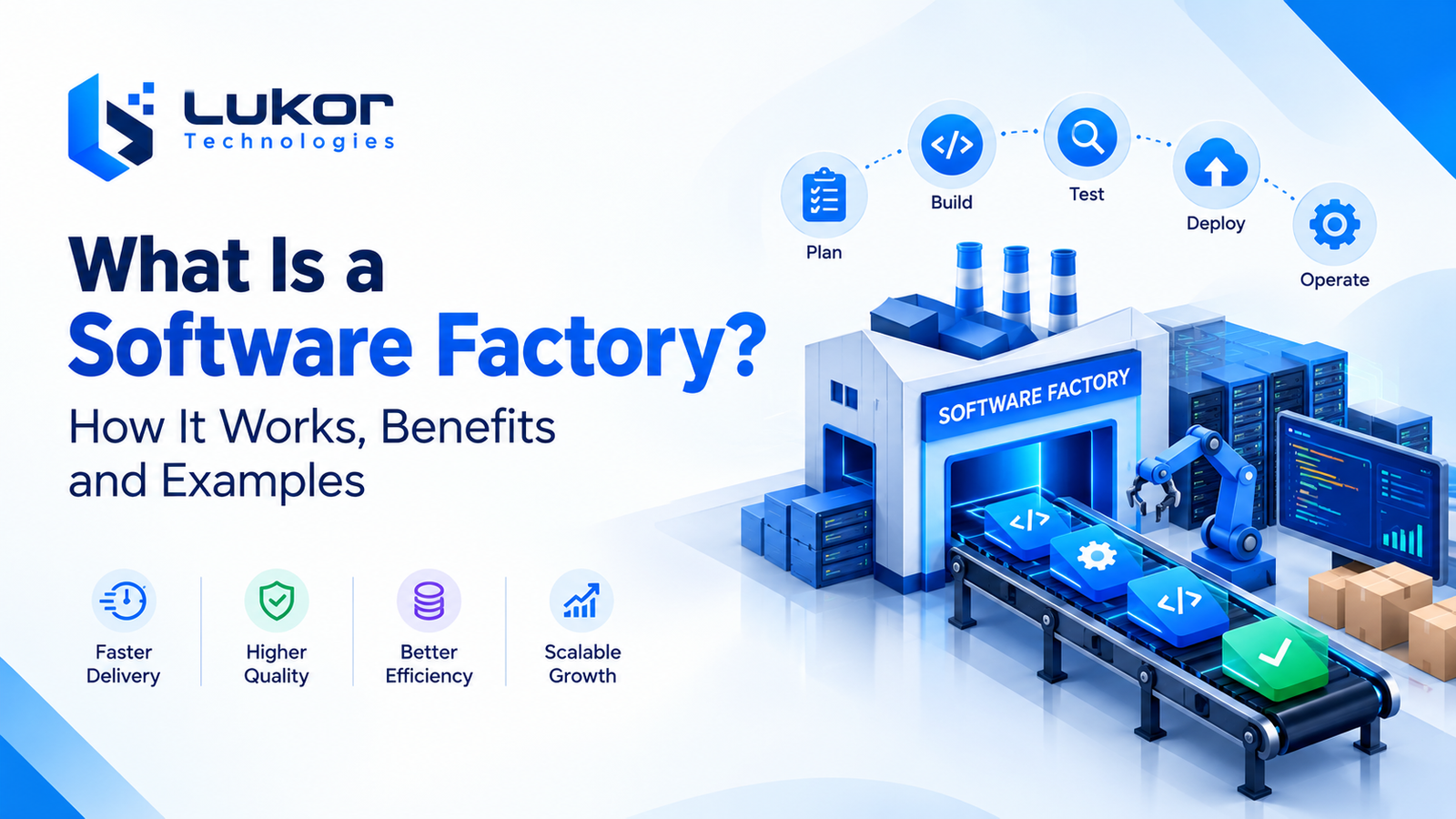
A software factory is a structured approach to software development that combines standardized workflows, reusable components, and automation to build, test, and deploy applications efficiently. It helps organizations reduce repetitive work, improve software quality, and deliver software more consistently across projects.
Unlike a project-by-project approach, a software factory establishes shared development practices, reusable tools, and automated processes that teams can apply across different applications. These practices include automated testing, continuous integration and deployment (CI/CD), security checks, and reusable software components.
As businesses scale their digital operations, AI is creating new opportunities to improve software development workflows. According to JetBrains’ 2026 Developer Ecosystem Survey, 90% of surveyed professional developers used AI coding agents at work at least weekly, highlighting the growing role of AI-assisted development in modern software engineering.
Quick Answer:
A software factory is a software development model that uses standardized processes, reusable components, and automation to streamline the software development lifecycle. It enables teams to build and maintain applications more efficiently while supporting consistent quality, scalability, and faster delivery.
What Is a Software Factory?
A software factory is a systematic approach to building software using standardized processes, reusable components, shared development tools, and automation. It helps organizations develop, test, deploy, and maintain applications more efficiently while improving consistency, quality, and scalability.
Inspired by manufacturing principles, a software factory applies repeatable workflows to software engineering. Instead of developing every application from scratch, teams can reuse proven components, frameworks, APIs, testing procedures, and deployment pipelines across projects.
A software factory can support various types of solutions, including web applications, mobile apps, SaaS platforms, APIs, and enterprise systems. Although development practices are standardized, each application can still be customized to meet specific business requirements. Learn more about custom software development and how tailored applications address unique business needs.
For example, a company building multiple business applications could reuse authentication modules, payment integrations, security controls, and automated testing workflows rather than recreating them for every project.
The core principles of a software factory include:
- Standardization: Applying consistent coding guidelines, development practices, and workflows.
- Reusability: Reusing suitable libraries, templates, frameworks, and software components.
- Automation: Automating repetitive tasks such as building, testing, integration, and deployment.
- Quality assurance: Maintaining software reliability through testing, code reviews, and security checks.
- Continuous improvement: Evaluating development performance and refining processes over time.
A software factory does not necessarily require a dedicated platform or an entirely new technology stack. Organizations can build this approach around their existing tools, adapting processes and automation to their teams, applications, and business goals.
How Does a Software Factory Work?
A software factory works by organizing software development into repeatable stages supported by shared tools, defined standards, and automated workflows. Although the exact process varies by organization, most implementations follow a similar lifecycle.
1. Requirements Gathering and Planning
Teams identify business goals, user needs, technical requirements, and project timelines. Clear requirements help developers choose the right tools, define project scope, and plan the development process.
2. Software Design and Architecture
Developers establish the application’s architecture, technology stack, data models, and security requirements. Reusable design patterns and frameworks help reduce duplicated work while meeting specific project needs.
3. Development and Component Reuse
Developers build applications using established coding standards, shared libraries, and reusable components. Common features, such as authentication, payment integrations, and notifications, can be reused across projects when appropriate.
4. Automated Testing and Quality Assurance
Automated tests check functionality, performance, and potential defects throughout development. Code reviews and security checks help maintain software quality and identify issues before release.
5. Continuous Integration and Deployment
Continuous integration (CI) and continuous delivery or deployment (CD) automate code integration, testing, and release processes. These workflows help teams deliver updates more consistently while maintaining necessary approval and security controls.
6. Monitoring and Continuous Improvement
After deployment, teams monitor application performance, security, and user feedback. They use these insights to fix issues, improve reusable components, and refine development workflows for future projects.
Example of a Software Factory in Practice
Consider a software development team that builds applications for healthcare, retail, and logistics businesses. Instead of developing every application from scratch, the team establishes a shared development foundation with reusable authentication modules, API integrations, testing frameworks, and deployment pipelines.
When a new project begins, developers reuse suitable components and adapt them to the client’s specific requirements. Automated tests help identify defects, CI/CD pipelines streamline software releases, and shared security standards support consistent quality across projects.
For example, a healthcare application might reuse an authentication module and secure API framework, while a retail application uses the same development foundation with different business features and integrations. Each application remains customized to its intended users and business objectives.
As the team improves its shared components and development workflows, those improvements can benefit future projects as well. This demonstrates how a software factory combines standardization, reusable components, and automation to reduce duplicated effort and improve software delivery efficiency.
Key Components of a Software Factory
A successful software factory combines people, processes, technologies, and governance. The following components form its foundation.
1. Reusable Software Components
Reusable components include libraries, APIs, modules, templates, and shared services that developers can use across multiple applications. They reduce duplicated work and support consistent functionality while simplifying maintenance.
2. Standardized Development Workflows
Standardized workflows establish consistent practices for planning, coding, testing, reviewing, and releasing software. They help development teams collaborate effectively while allowing flexibility for specific project requirements.
3. Development Tools and Automation
Software factories use tools for version control, automated testing, code analysis, and continuous integration and deployment (CI/CD). Integrating these tools into a unified workflow reduces manual tasks and improves development efficiency.
4. Version Control and Team Collaboration
Version control systems track code changes and support collaboration among developers. Code reviews, shared documentation, and issue-tracking tools improve transparency, accountability, and coordination across development teams.
5. Security and Quality Assurance
Security and quality checks help protect applications throughout the software development lifecycle. Practices such as dependency scanning, access controls, automated testing, and code reviews help identify vulnerabilities and maintain reliable software.
Key Benefits of a Software Factory
The software factory model can improve software delivery by making development activities more repeatable and reducing unnecessary duplication. Its actual impact depends on implementation quality, project complexity, and team maturity.
1. Faster Software Development and Delivery
A software factory accelerates development by allowing teams to reuse existing components, automate repetitive tasks, and follow established workflows. Instead of building common features from scratch, developers can focus on project-specific functionality, helping businesses deliver software updates and new applications more efficiently.
Standardization is becoming increasingly common in software development. According to the CNCF and SlashData Q1 2026 report, 88% of surveyed backend developers worked with at least one form of infrastructure standardization, up from 80% six months earlier. This trend highlights the growing importance of consistent development environments and standardized workflows.
2. Improved Software Quality and Consistency
Standardized coding practices, automated testing, and consistent quality checks help development teams identify defects earlier. Reusing well-maintained components also promotes consistent functionality across applications, while regular code reviews and security checks help maintain reliability.
3. Lower Development Costs and Less Repetitive Work
Automation reduces manual effort in activities such as software testing, code integration, and deployment. Reusable libraries, templates, and shared services also minimize duplicated development work. Together, these practices can improve resource utilization and reduce long-term software development costs, although initial setup and maintenance require investment.
4. Greater Scalability and Maintainability
A software factory makes it easier to expand development activities by reusing proven tools, components, and processes across projects. Standardized documentation and modular architecture can simplify updates, maintenance, and future enhancements as business requirements evolve.
5. Better Collaboration Across Development Teams
Shared workflows, version control systems, and documented engineering standards help developers, testers, architects, and operations teams work together more effectively. Clear responsibilities and consistent communication reduce coordination issues and improve visibility throughout the software development lifecycle.
6. More Predictable Software Delivery
Repeatable development processes and automated quality checks help teams identify bottlenecks, track progress, and manage release schedules. Although unexpected challenges can still arise, a well-managed software factory provides better visibility into project performance and supports more informed planning.
Software Factory vs. Traditional Software Development
The main difference between a software factory and a traditional project-by-project approach is the degree of standardization, reuse, and automation.
In a traditional approach, teams may design many processes independently for each application. A software factory establishes shared development practices and reusable foundations that can be applied across multiple projects.
Key differences include:
- Development Process: Traditional development may use different workflows for each project, while a software factory follows standardized processes.
- Component Reuse: Traditional projects may build features from scratch, whereas a software factory encourages the reuse of existing components and frameworks.
- Automation: A software factory integrates automated testing, code integration, and deployment to reduce repetitive manual work.
- Software Quality: Standardized coding practices and repeatable quality checks help maintain consistency across applications.
- Scalability: Reusable components and shared workflows make it easier to manage multiple projects as business needs grow.
- Flexibility: Traditional development can be tailored to individual projects, while a software factory balances standardization with specific business requirements.
Both approaches can work together. Businesses can use a software factory for common development tasks while retaining customized processes for projects that require specialized solutions.
The right approach depends on project complexity, opportunities for component reuse, development goals, and long-term business needs.
Real-World Examples of a Software Factory
Software factories can support many types of software development. Their value is especially clear when teams build multiple applications or repeat similar technical work.
1. Enterprise Software Development
Businesses can reuse authentication systems, reporting modules, and integration services to build internal applications, employee portals, and customer management platforms. Enterprise resource planning (ERP) systems can also benefit from modular architecture and integrated business workflows.
For example, Lukor Technologies’ custom ERP software development case study illustrates how finance, procurement, inventory, operations, approvals, and reporting can be integrated into a centralized business platform.
2. SaaS Product Development
SaaS companies can use reusable components, shared development tools, automated testing, and deployment pipelines to streamline feature releases and ongoing product maintenance. Standardized workflows can also help development teams manage updates across growing product portfolios.
Lukor Technologies’ SaaS project management platform case study provides an example of a centralized platform that brings project management, team collaboration, time tracking, and reporting together in one solution.
3. E-Commerce Application Development
Development teams can reuse product catalog modules, inventory services, payment integrations, and customer account features across e-commerce applications. Automated testing and consistent security checks help teams maintain reliability while simplifying updates and maintenance.
For example, Lukor Technologies’ custom e-commerce platform development case study shows how product discovery, checkout, payment integration, inventory management, and order tracking can work together in a unified e-commerce solution.
4. Mobile Application Development
A software factory can support mobile app development through reusable API integrations, authentication modules, shared design components, and automated testing workflows for iOS and Android applications. These practices help reduce duplicated work while allowing each application to meet its specific user and business requirements.
5. Internal Business Software and Workflow Automation
Organizations can use reusable templates, shared integrations, and workflow components to develop applications for employee onboarding, approval processes, inventory tracking, and business reporting. Standardized development practices can simplify maintenance and make it easier to adapt these applications as operational needs change.
Software Factory vs. AI Software Factory: Key Differences
A software factory uses standardized workflows, reusable components, and automation to streamline software development. An AI software factory builds on this foundation by integrating artificial intelligence into tasks such as code generation, test creation, documentation, and defect detection.
AI is not a requirement for a software factory. Businesses can achieve greater efficiency through reusable components, conventional automation, and CI/CD pipelines without using AI. An AI software factory adds AI-powered capabilities where they provide practical value.
| Feature | Software Factory | AI Software Factory |
| Core approach | Standardized workflows and reusable components | Software factory practices enhanced with AI |
| Code development | Developer-written and reusable code | AI-assisted code generation |
| Testing | Automated tests and predefined quality checks | AI-assisted test creation and defect analysis |
| Automation | Scripts and CI/CD pipelines | Conventional automation and AI-assisted workflows |
| Human involvement | Developers build, test, and review software | Developers validate AI-generated outputs and maintain oversight |
Both approaches aim to improve software quality, efficiency, and scalability. Businesses can start with a traditional software factory and introduce AI capabilities where they offer practical value, supported by appropriate testing, security checks, and human oversight.
How AI Is Transforming Software Factories
Artificial intelligence is transforming software factories by helping development teams automate repetitive tasks, improve code quality, and streamline software delivery. When integrated into established workflows, AI can support developers throughout the software development lifecycle.
1. AI-Assisted Coding and Code Review
AI coding tools can generate code suggestions, explain existing functions, and identify potential bugs. Developers can use these capabilities to reduce repetitive work while reviewing and testing generated code before implementation.
2. Automated Testing and Defect Detection
AI-powered tools can help generate test cases, analyze test results, and identify potential defects. These capabilities can improve testing efficiency, but human validation remains essential for complex functionality and critical applications.
3. Smarter Development Workflows
AI can assist with requirements analysis, technical documentation, issue classification, and routine development tasks. Integrating these capabilities into a software factory can help teams streamline workflows and improve productivity.
Businesses exploring these capabilities can learn more about AI development solutions and how they can support software development processes.
4. Security and Human Oversight
AI-generated code may introduce vulnerabilities, incorrect logic, or licensing concerns. Software factories should combine AI tools with code reviews, security scanning, automated testing, and appropriate data protection controls.
Challenges of Implementing a Software Factory
Although a software factory offers potential advantages, implementation requires careful planning. Simply introducing automation tools or shared code libraries does not automatically create an effective software factory.
1. Initial Investment and Setup
Setting up development tools, automated pipelines, and reusable components requires time and resources. Starting with a small pilot project can help businesses evaluate results before expanding the approach.
2. Legacy System Integration
Older applications may rely on outdated technologies or complex integrations. Gradual modernization and careful compatibility testing can help teams integrate legacy systems into standardized workflows.
3. Workflow Standardization
Overly rigid processes can limit flexibility and slow development. A successful software factory standardizes common tasks while allowing adjustments for specific project requirements.
4. Security and Component Maintenance
Vulnerabilities in shared components can affect multiple applications. Regular security checks, dependency updates, version control, and clear component ownership help reduce these risks.
5. Team Adoption and Skills
Developers may need training to adopt new tools, automation practices, and reusable components. Clear documentation, technical guidance, and gradual implementation can make the transition smoother.
AI adoption can also introduce workflow challenges. According to Atlassian, 87% of surveyed developers say AI helps them ship work faster, while 72% experience the same or more friction than before using AI. This highlights why software factories need clear workflows, team training, quality controls, and human oversight to turn AI-assisted productivity into more effective software delivery.
Addressing these challenges helps businesses build a software factory that balances standardization, flexibility, security, and long-term maintainability.
When Should a Business Adopt a Software Factory?
A software factory is ideal for businesses that develop multiple applications, reuse software components, or want to improve development speed, quality, and consistency across teams.
Your business may benefit from a software factory if it:
- Develops multiple applications: Reuses common features, code, and development processes across projects.
- Needs faster software delivery: Uses automation to streamline coding, testing, integration, and deployment.
- Wants consistent software quality: Establishes standardized development practices and automated quality checks.
- Plans to scale development: Supports growing teams, expanding product portfolios, and increasing project demands.
- Needs greater efficiency: Reduces repetitive engineering tasks and improves collaboration between development teams.
- Is modernizing existing systems: Introduces reusable components, automation, and standardized workflows into legacy software environments.
However, a software factory may not be necessary for a small, one-time project with limited development requirements. In such cases, individual practices such as version control, automated testing, and continuous integration may provide sufficient benefits.
Before adopting a software factory, assess your project volume, opportunities for component reuse, existing development bottlenecks, security requirements, and available resources.
The right approach should simplify software development, support business growth, and deliver measurable improvements in efficiency and quality.
Conclusion
A software factory provides a structured approach to building and maintaining software through standardized processes, reusable components, and automation. It helps businesses improve development efficiency, maintain software quality, and manage multiple applications more consistently.
AI-powered tools can further enhance software factories through code assistance, test generation, documentation, and defect detection. However, successful implementation still requires appropriate security controls, thorough testing, and human oversight.
Businesses looking to improve their software delivery processes can explore custom software development services to understand how tailored solutions, reusable components, and automation can support their technical requirements and long-term goals.
For guidance on selecting the right development approach for your business, contact us to discuss your project requirements and explore suitable options.
Frequently Asked Questions
1. What Is a Software Factory?
A software factory is a structured approach to software development that combines reusable components, standardized workflows, and automation. It helps development teams build, test, and deliver software more efficiently while maintaining consistent quality.
2. What Is the Main Purpose of a Software Factory?
The main purpose of a software factory is to make software development more efficient, repeatable, and scalable. It reduces repetitive work through code reuse and automation while establishing consistent development, testing, and deployment practices.
3. What Is the Difference Between a Software Factory and a Software Development Company?
A software factory is a development model that uses standardized processes, reusable components, and automation to build software. A software development company is an organization that provides software development services or creates software products. A company can use a software factory model to improve productivity, quality, and delivery consistency.
4. What Is the Difference Between a Software Factory and a DevOps Pipeline?
A software factory is a broader approach that includes development standards, reusable components, tools, quality controls, and automation. A DevOps pipeline automates specific stages of software delivery, such as building, testing, and deploying applications. A DevOps pipeline can be an important part of a software factory.
5. How Does AI Improve a Software Factory?
AI can improve a software factory by assisting with code generation, documentation, automated test creation, code reviews, and defect detection. When combined with human oversight, security checks, and reliable development practices, AI can help teams reduce repetitive tasks and improve development efficiency.
6. What Are the Main Benefits of a Software Factory?
The main benefits of a software factory include faster development, improved software quality, reduced repetitive work, greater consistency, easier scalability, and more predictable delivery. These benefits depend on effective implementation, suitable automation tools, and well-maintained reusable components.
7. Does Every Business Need a Software Factory?
No. A software factory is most useful for businesses that develop multiple applications, reuse common functionality, or need to scale software delivery. For smaller or one-time projects, individual practices such as version control, automated testing, and continuous integration may be sufficient.
8. When Should a Business Implement a Software Factory?
A business should consider implementing a software factory when development workloads increase, teams repeatedly build similar features, delivery processes become difficult to manage, or software quality needs greater consistency. Assessing project volume, automation opportunities, and long-term business goals can help determine whether this approach is worthwhile.